
A clearer view of your finances and a plan for your debts
MCARTUR Financial Tracker organizes your income, budget and debts, reminds you of every due date and shows your situation with cards, bars and a step-by-step plan. Your financial data stays on your device.
- Your data stays on your device
- English & Spanish
- 7-day money-back guarantee
- From US$4.92 a month
About 80-second product demo using fictional sample data.
Everything you need in one place
Deterministic calculations explained in plain language. No promises, just your own numbers.
Debts Vehicles
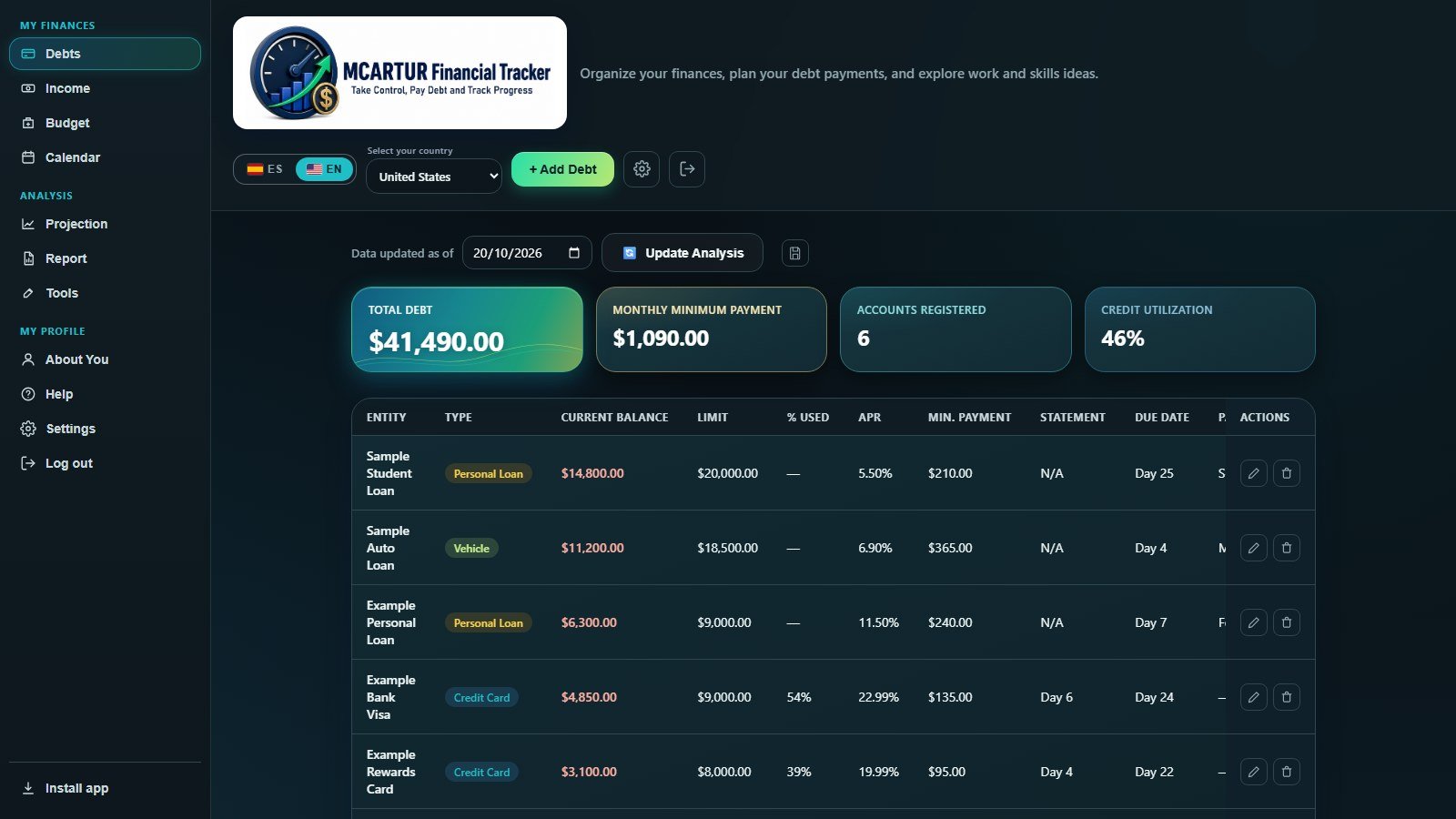
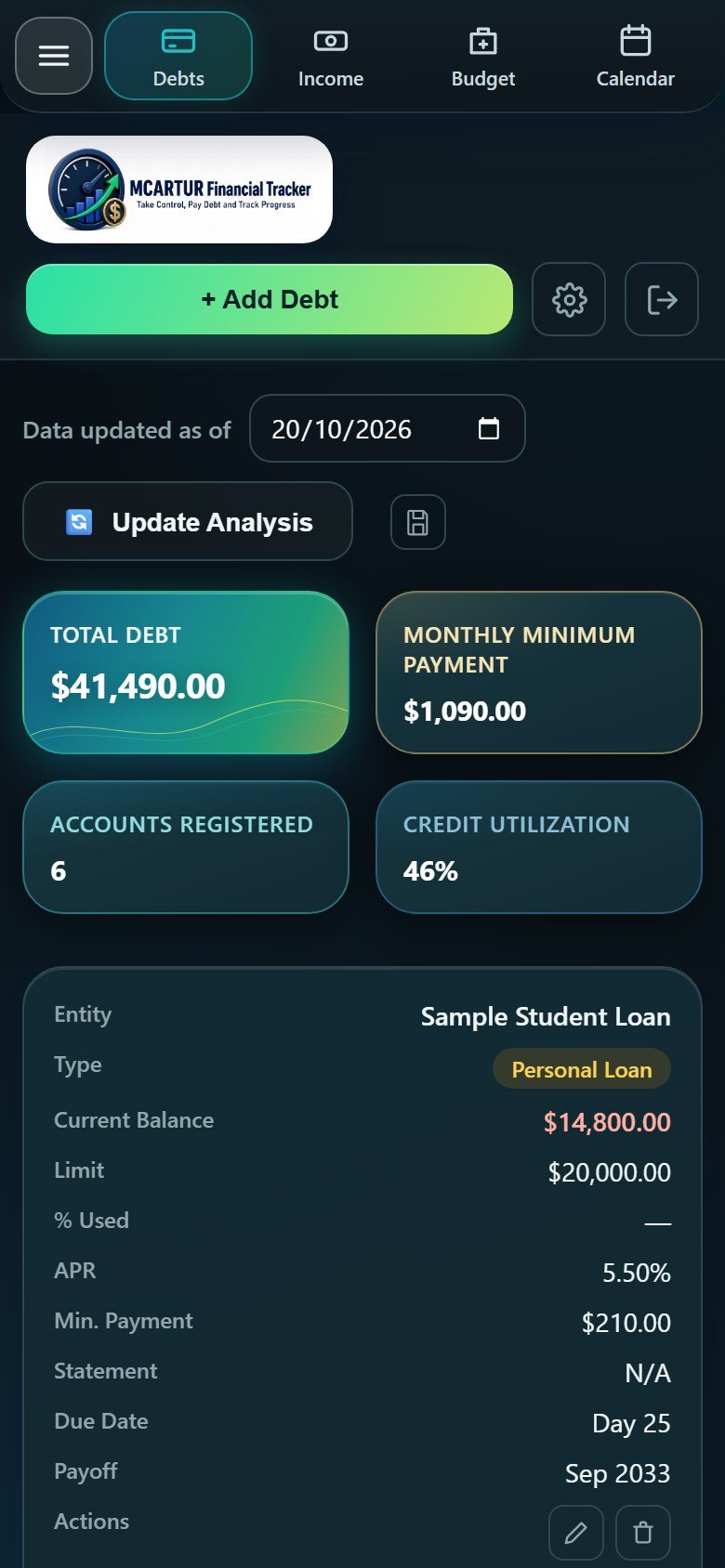
Track cards, loans, vehicles and mortgages with balance, APR, payment and due date. If you enter your car in two places, we warn you so it is not counted twice.
Income & cash flow
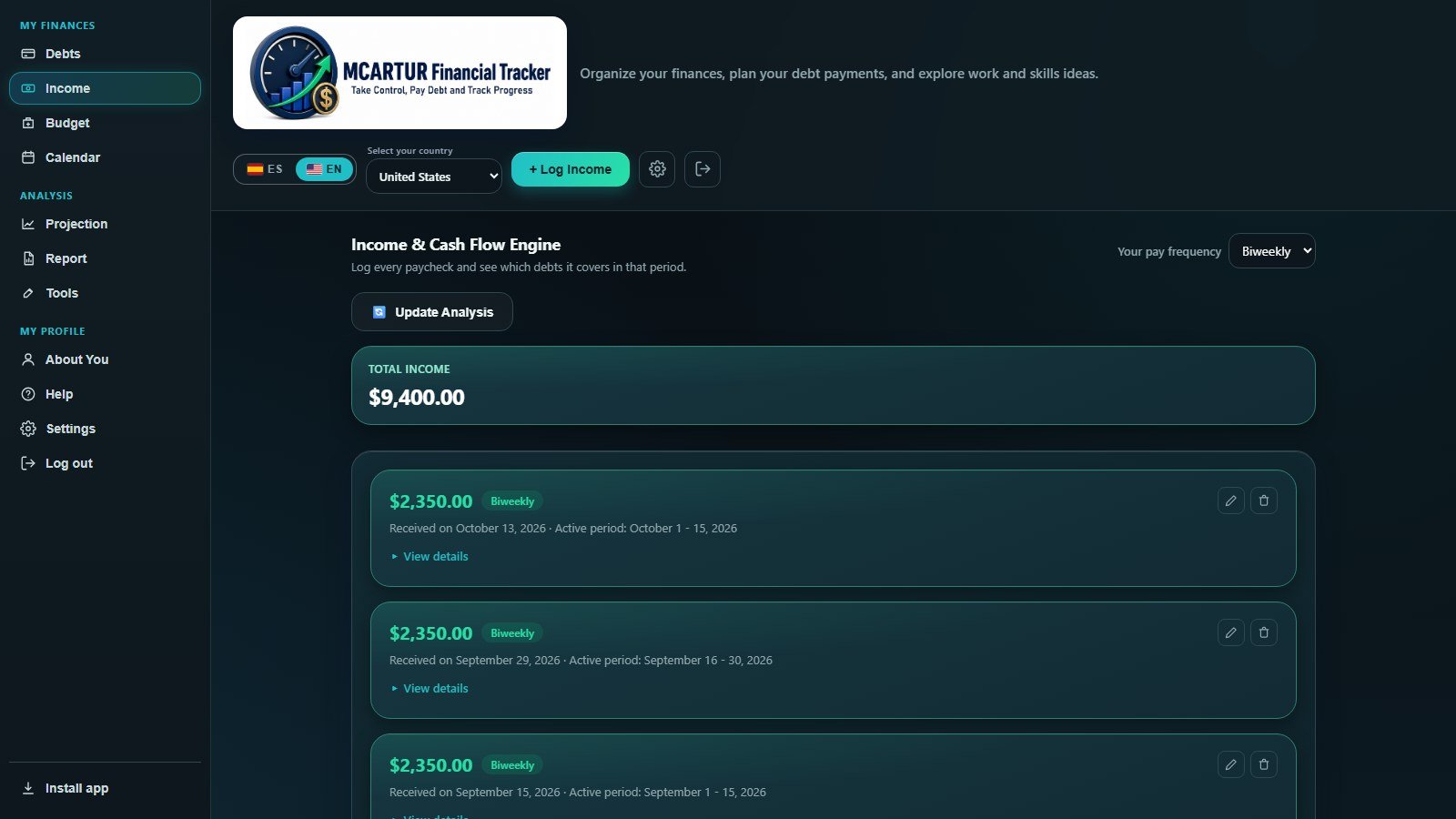
Log each paycheck and see which bills it covers and how much remains.
Monthly budget
Needs, wants and savings anchored on your net income, with the 50/30/20 rule as a reference.
Payment calendar
See every due date of the month with the institution and amount on each day. Mark payments as paid and print the calendar.
Alerts & paycheck set-aside
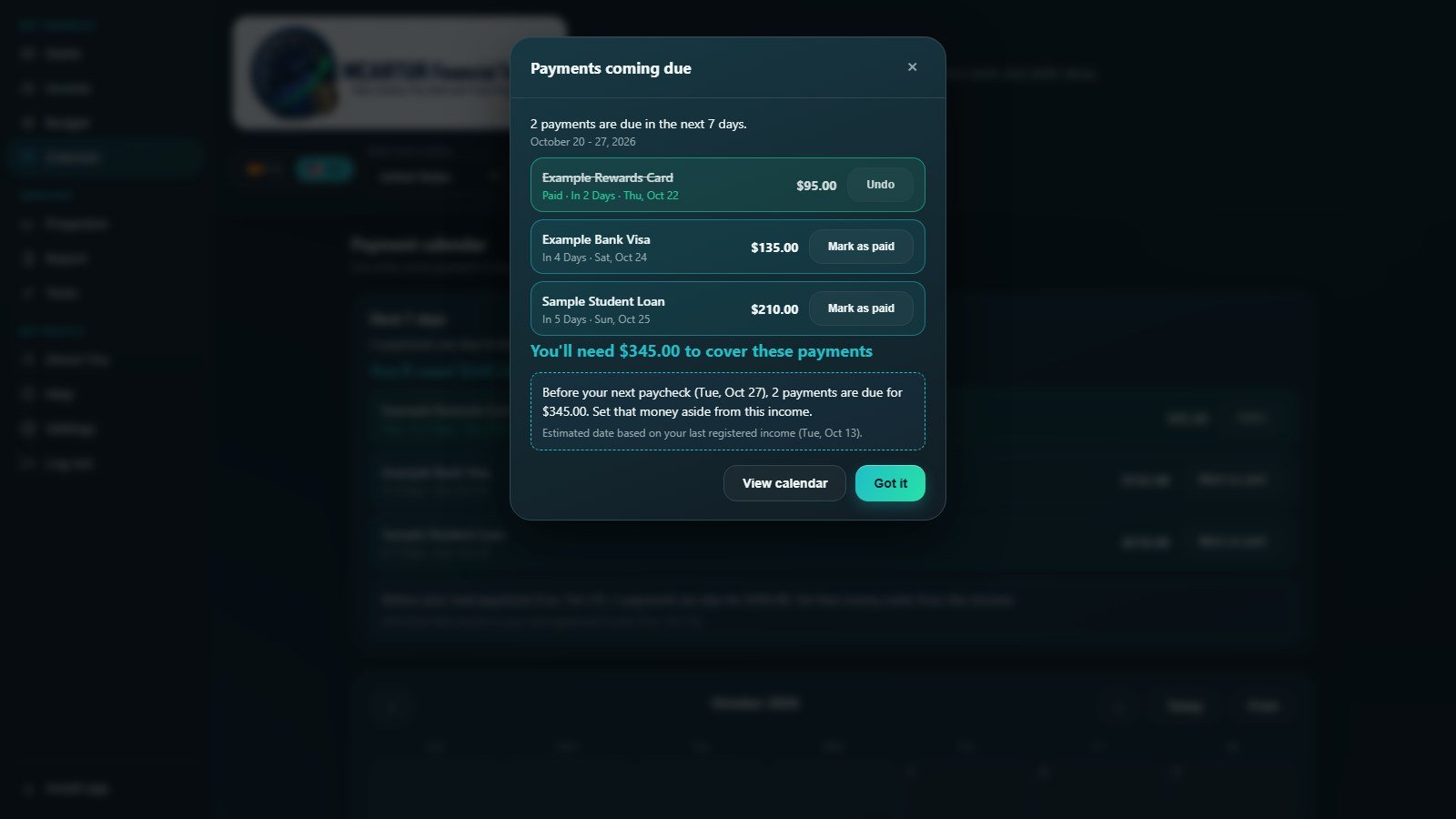
Get a heads-up about payments due in the next 7 days and see how much to set aside before your next paycheck.
Payoff projection
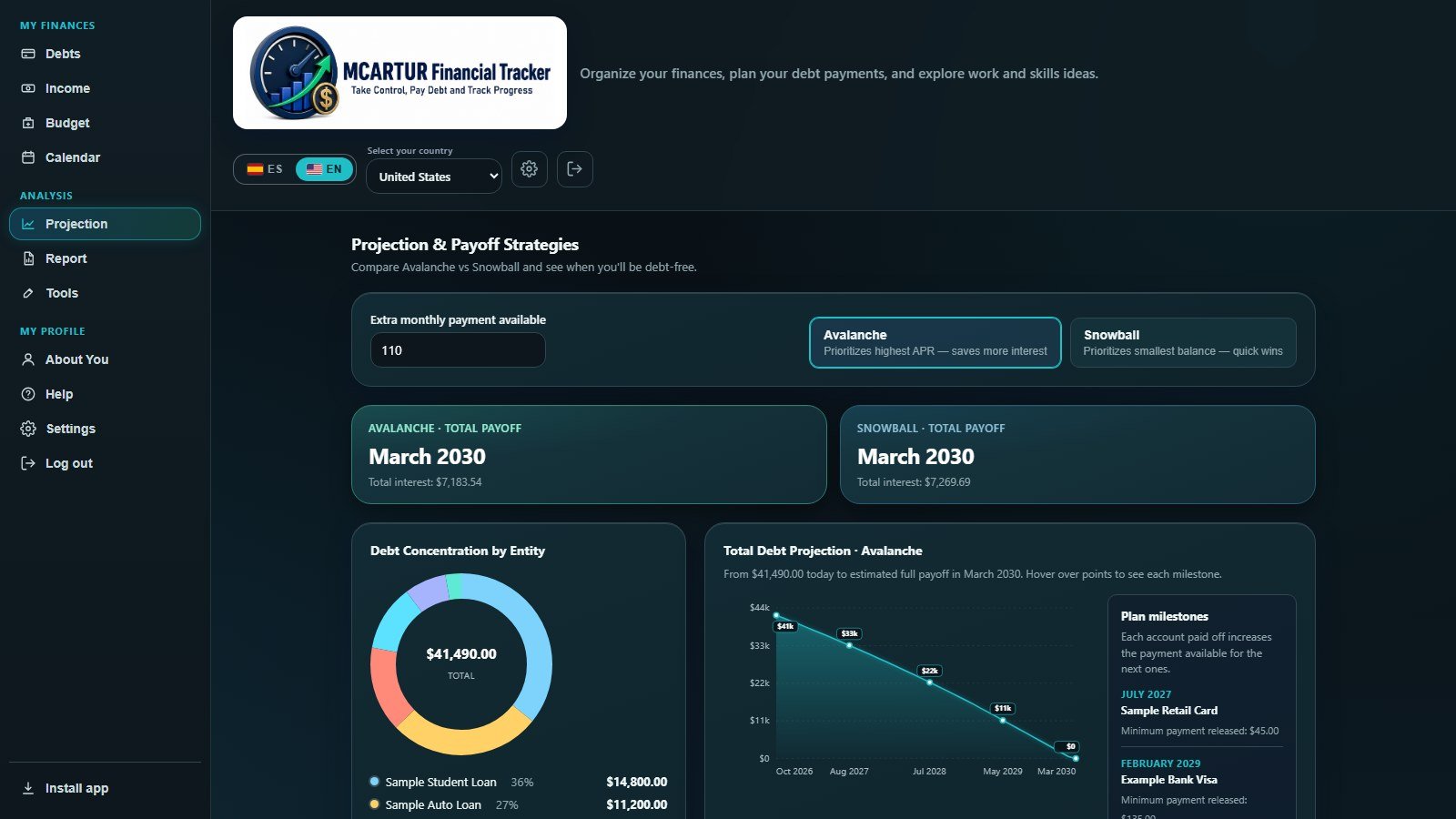
Compare Avalanche and Snowball, add an optional extra payment and see your debt-free date.
Report & payoff plan New
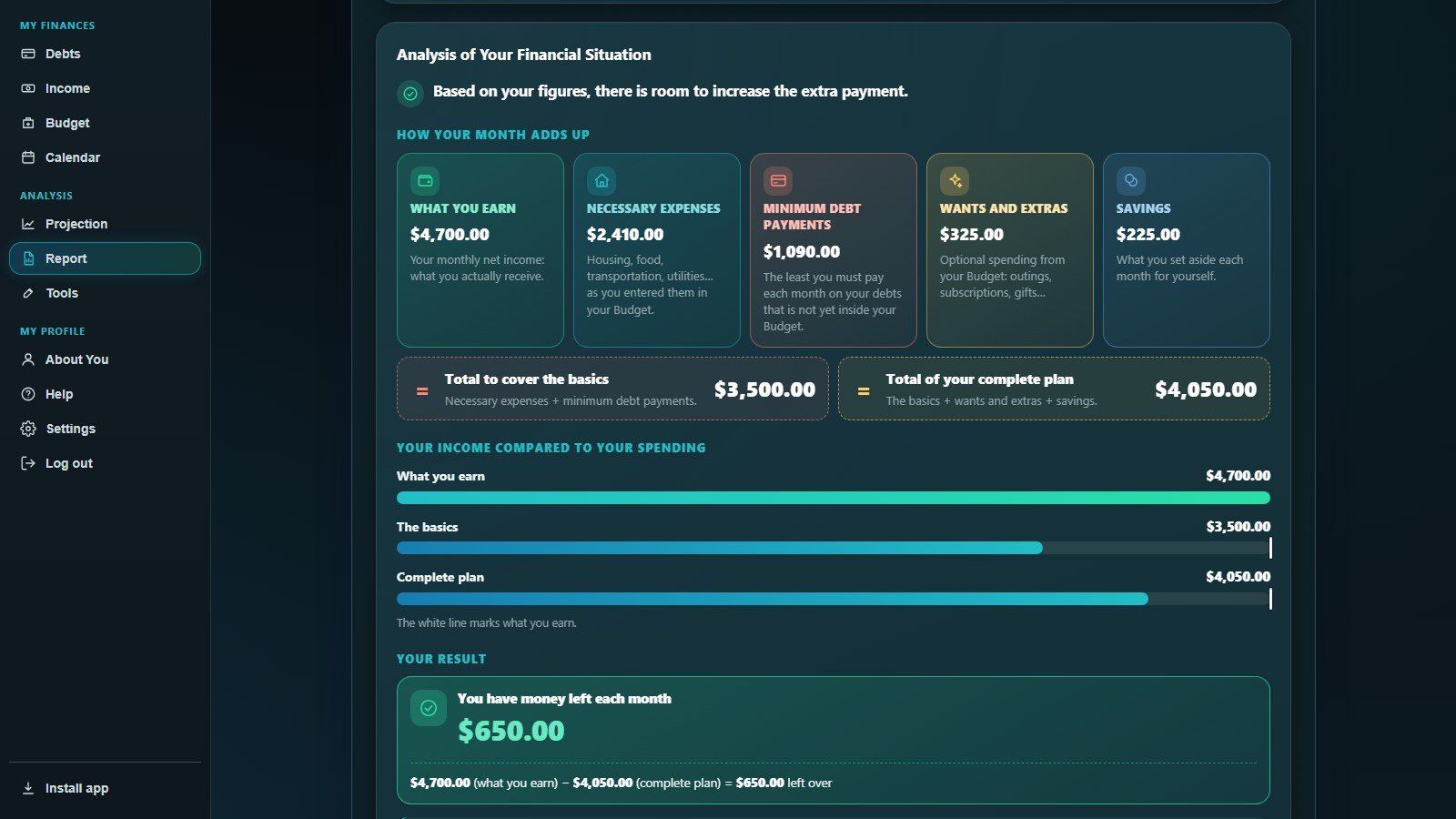
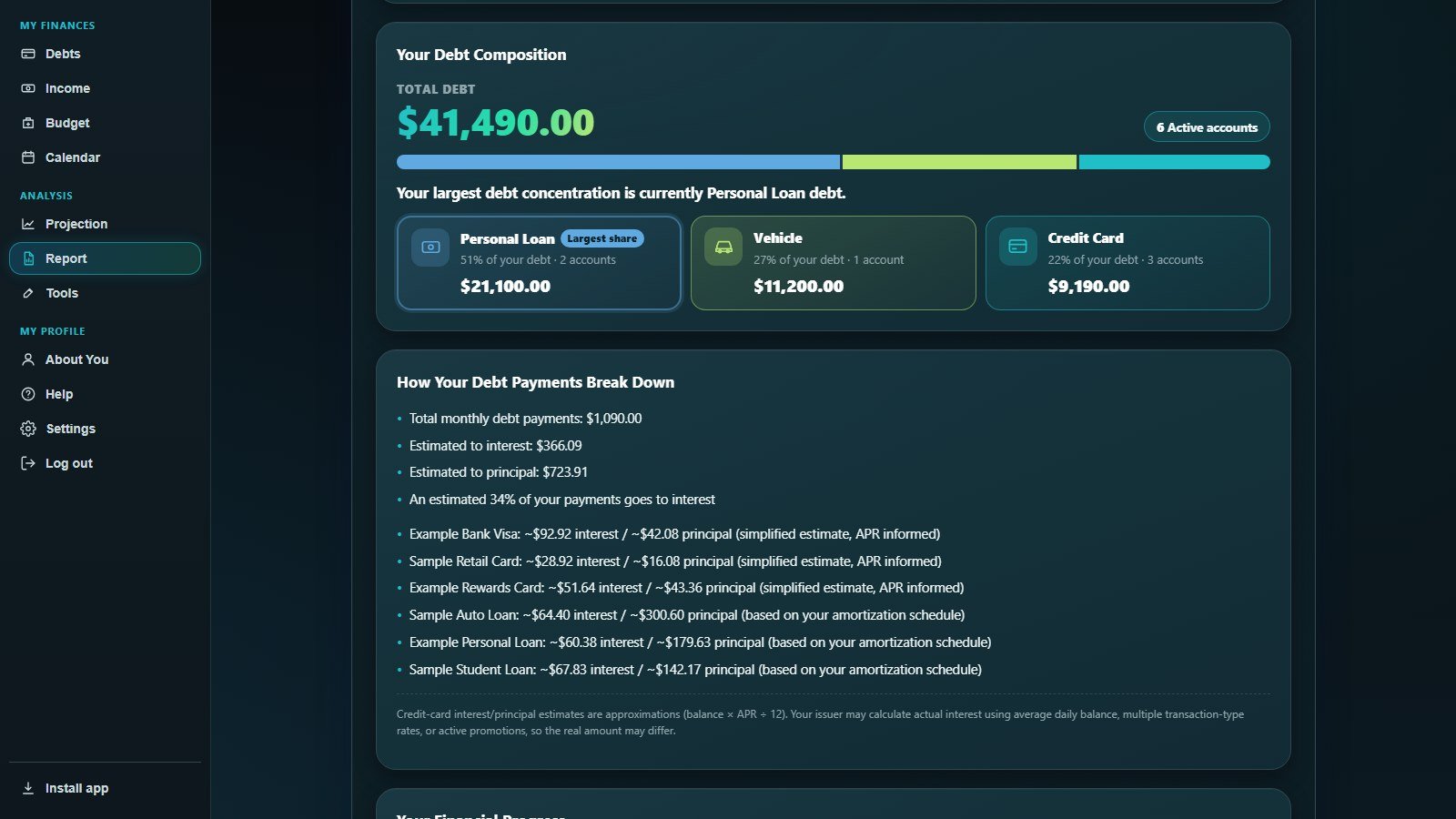
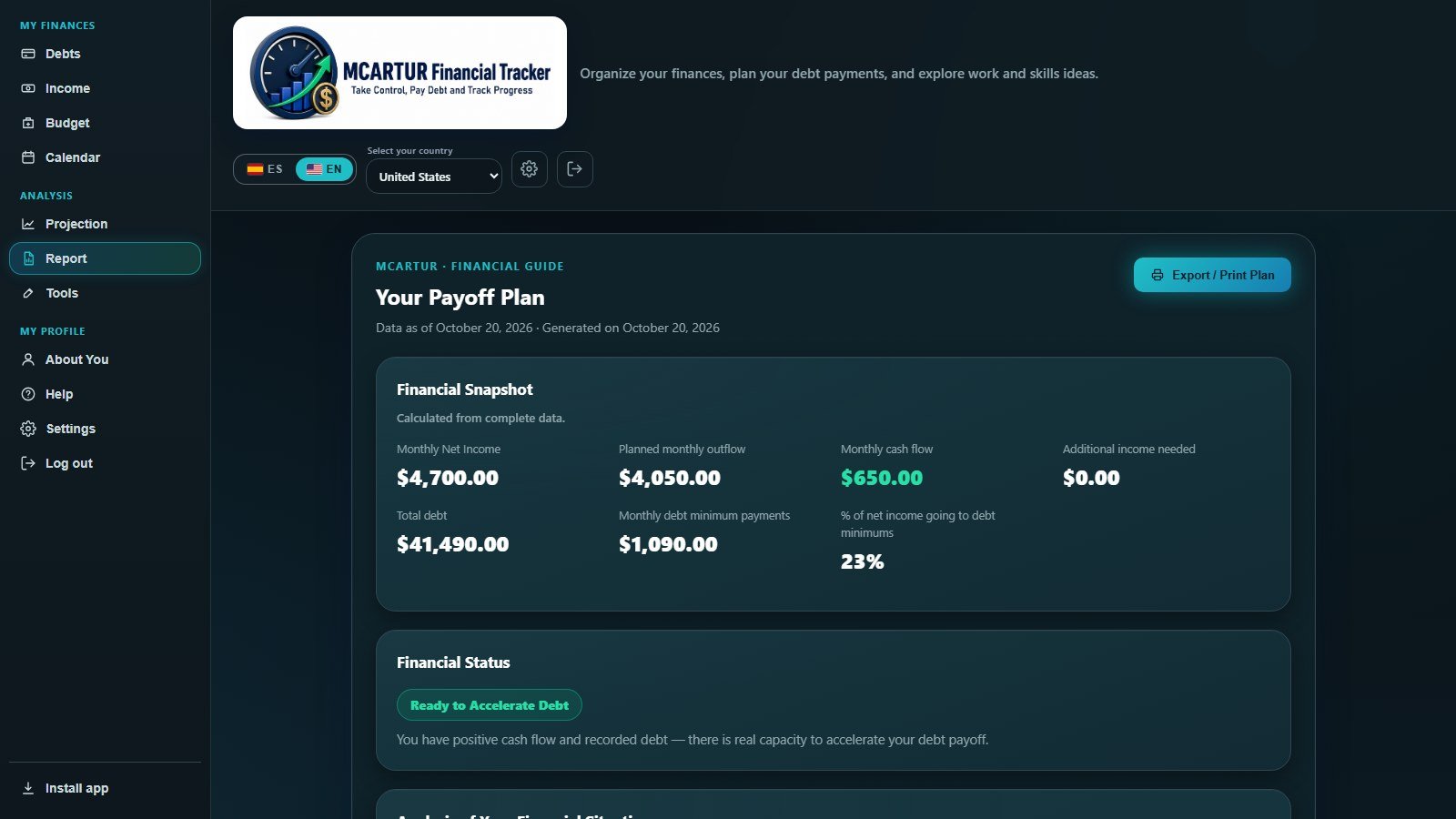
Your situation in cards and bars with the subtraction in plain sight, your debt breakdown and your step-by-step payoff plan.
Free calculators
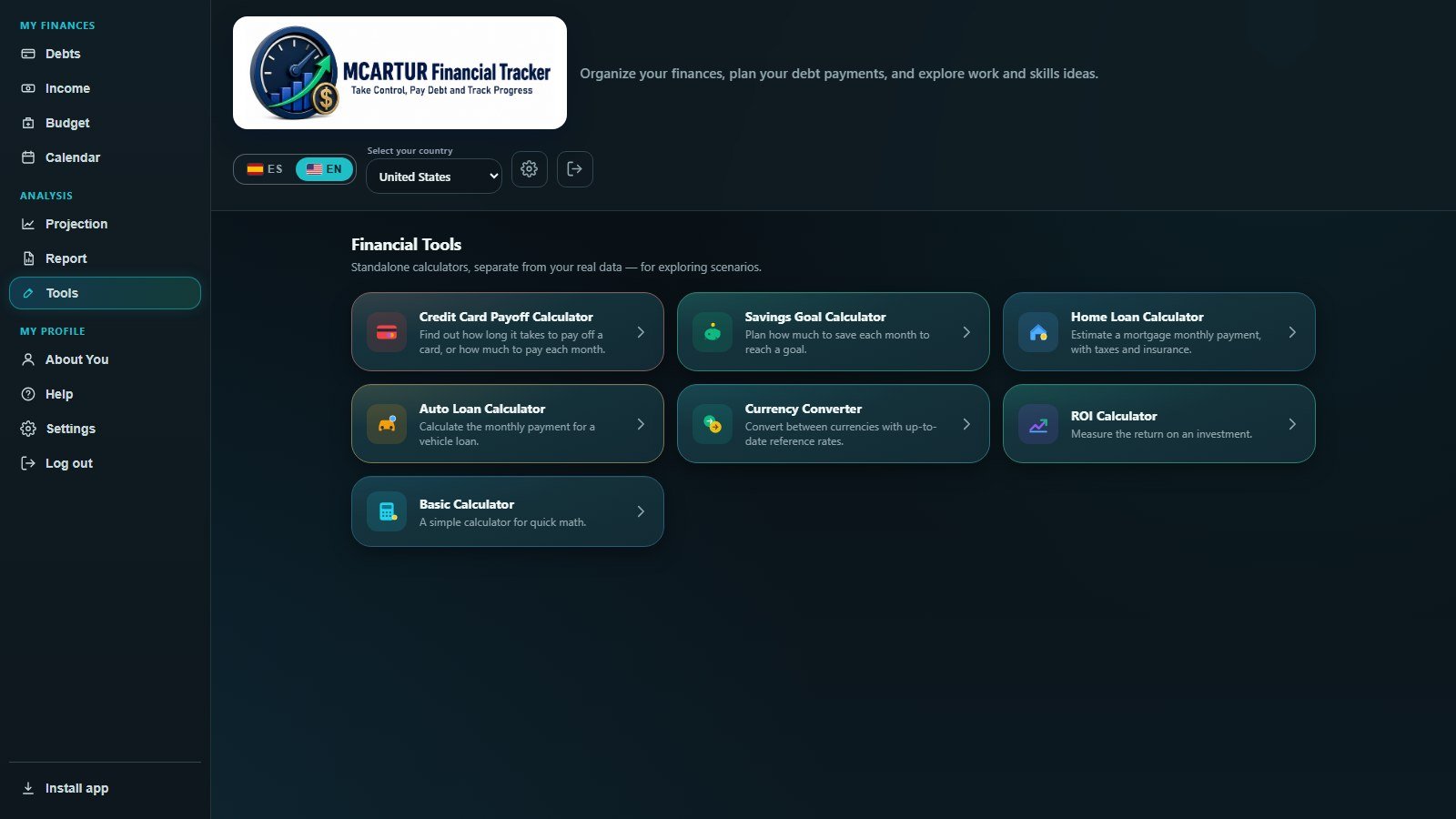
Card payoff, savings goal, mortgage, auto loan, currency converter and ROI.
Statement scanning
Take a photo or upload a PDF and the app fills in the form. Processed in your browser.
Work & skills ideas (optional)
Share your skills and explore occupations, training and extra work using public O*NET occupational data. These are not business or investment offers.
Install it as an app
Add it to your home screen and open it like any other app, on iPhone, Android or computer.
English & Spanish
The whole app is available in both languages, works on phone and computer, and updates automatically.
Understand your situation at a glance
The report explains where every number comes from, without financial jargon.
- How your month adds up. What you earn, your necessary expenses, minimum debt payments, wants and savings, in mini-cards.
- The subtraction in plain sight. See how much you are short (or have left over) and exactly how it is calculated.
- Your debt breakdown. Which type of debt weighs the most: cards, loans, vehicle or mortgage.
- Your plan. Payments step by step, in the order you choose: Avalanche or Snowball.
How it works
Three steps, at your own pace.
Create your account
Sign up with your email and confirm your account. Your subscription activates automatically after payment.
Add your numbers
Enter only what applies to you: income, budget and, if you have them, your debts.
Follow your plan
Review your calendar, projection and report, and update your analysis monthly to track progress.
The app in action
Real screenshots using fictional sample data.


Also on your phone
Install it as an app on iPhone or Android and take it with you.


Two simple plans
The same full access on both. No hidden tiers, no add-on fees.
MCARTUR Personal Monthly
Monthly subscription, billed every month.
- Full access to all features
- Up to 2 active devices
- English and Spanish
- Updates and new features included
- Cancel anytime and keep access until the end of the paid period
- Free occupation search (O*NET), even without a subscription
MCARTUR Personal Annual
Just US$4.92 a month, billed once a year.
- Full access to all features
- Up to 2 active devices
- English and Spanish
- Updates and new features included
- Cancel anytime and keep access until the end of the paid period
- Free occupation search (O*NET), even without a subscription
Save 67% with the annual plan compared with paying US$15 each month for a year (US$180). Secure payment processed by Paddle, our merchant of record. Applicable taxes depend on your location.
Your financial data stays with you
We designed MCARTUR so your debts, income and budget live only on your device.
Local storage
Your figures are saved in your browser storage. They are never sent to our servers.
What we do store
Only what your account needs: email, name, country, your subscription status and a list of your devices (browser, platform and last use) to enforce the 2-device limit. Authentication and that database are operated by Supabase; details are in the Privacy Policy.
Backups are yours
You can save and restore a copy of your data to a file whenever you choose.
Frequently asked questions
Does MCARTUR give professional financial advice?
No. MCARTUR is an educational and planning tool. It does not replace the advice of a qualified financial, legal or tax professional. MCARTUR is not a credit counseling or credit repair service, does not settle or negotiate debts, and does not offer loans, investments or money handling.
Do I need to have debt to use it?
No. You can use income, budget, the payment calendar, tools and the work-ideas profile without entering any debt.
Where is my data stored?
On your own device. If you switch devices, you can move your data with a backup file.
How many devices can I use?
Up to 2 active devices per account. Devices that have not been used for 14 days or more are released automatically when you need a spot for a new one.
Will I get new improvements?
Yes. Updates are included and apply automatically. When a new version is available you will see a notice with what is new.
How is the product delivered?
MCARTUR is a web app. After you subscribe, your access is activated automatically and you can use it in the browser or install it on your phone.
How do I cancel?
From the billing portal linked to your subscription. You keep access until the end of the period you already paid for.
Is there a money-back guarantee?
Yes: 7 days. If you are not satisfied, email info@mcarturdigital.com within 7 days of your first charge and we will refund that charge in full. Renewals and payments after that period are non-refundable, except where required by applicable law; you can cancel before renewing to avoid new charges. See the Refund Policy.
Can I enter my car loan?
Yes. Choose the “Vehicle” type in Debts and enter your monthly payment, rate and dates. If you also enter a “Car Payment” in the Budget, the app warns you so that payment is not counted twice.
How do I contact support?
Take control of your finances today
Organize your numbers, see your situation clearly and follow a step-by-step plan. 7-day money-back guarantee on your first charge.
Open the app